Accounting Categories
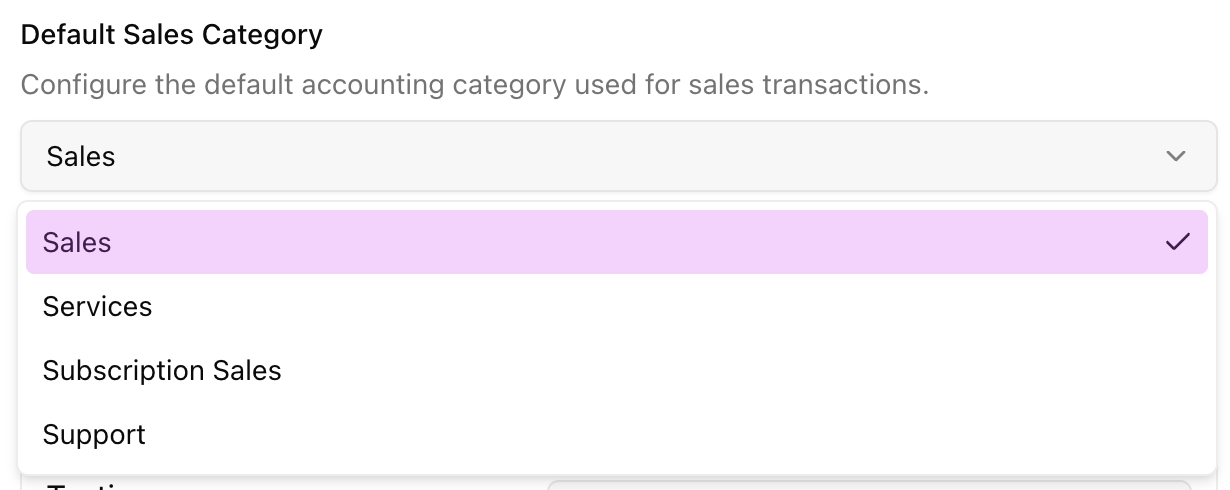
Out of the box, all income posted by ClearingHouse will be explained against the "001: Income - Sales" accounting category.
If you would rather Stripe income be explained using a different accounting category, you may set a "Default Accounting Category":
Other Stripe Transactions
Not everything in your Stripe account is a sale. Stripe's own fees, for example, each have a single accounting category, and your category rules don't apply to them:
| Setting | Used for | Out of the box |
|---|---|---|
| Stripe Fees | The processing fee Stripe takes from each payment, and Stripe's other charges, like Billing, Radar and Connect fees, plus any tax on them. | 363: Bank & Finance Charges |
| Stripe Climate | Contributions to Stripe Climate, and any refunds of them. | 363: Bank & Finance Charges |
| Platform Fees | Fees a platform takes from your payments, if you sell through a platform that uses Stripe Connect. | 363: Bank & Finance Charges |
Stripe Climate and Platform Fees only appear if your Stripe account has had one of those transactions.
Currency conversion fees always go to "390: Currency Exchange Gain/Loss". See How Stripe fees appear in FreeAgent.
Category Rules
Category rules let you send some sales to a different accounting category. For example, you might want consulting work explained as "Services" and everything else as "Sales".
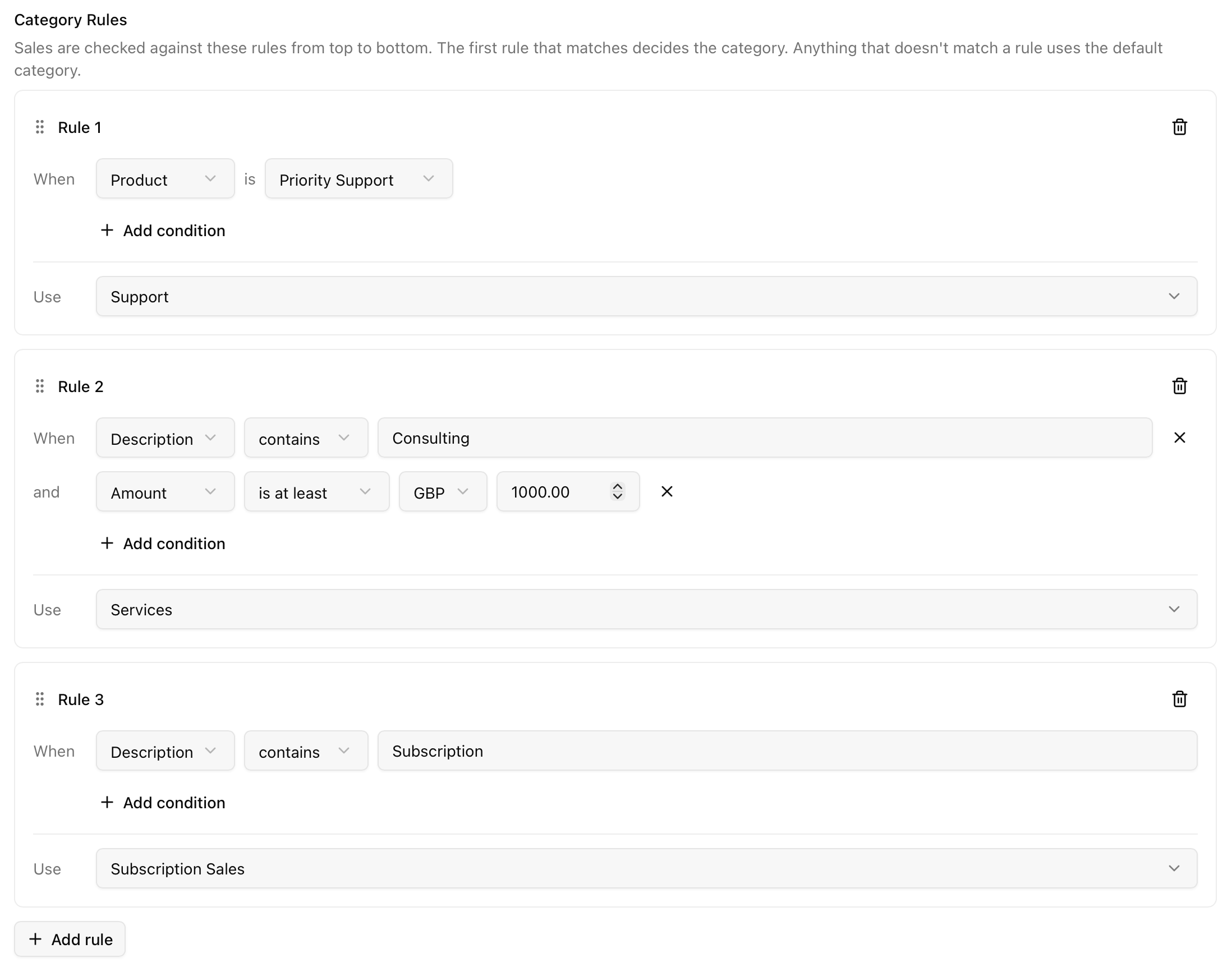
ClearingHouse checks each sale against your rules from top to bottom, and uses the category of the first rule that matches. Anything that doesn't match a rule uses your default accounting category.
Put more specific rules above broader ones. To reorder rules, drag them by the handle next to their name.
Rules apply to each line on a Stripe invoice, and to one-off payments (eg. from Stripe Checkout or Payment Links).
Conditions
A rule can have more than one condition. A sale only matches a rule when it matches all of the rule's conditions. If you want a category used when either of two things is true, add two rules with the same category.
| Condition | Matches when… |
|---|---|
| Product | The invoice line is for this Stripe product, at any price. |
| Price | The invoice line is for this Stripe price. |
| Description | The description contains, or is exactly, some text. Upper and lower case are treated the same. |
| Metadata | A metadata key is a given value, is set to anything, or isn't set at all. |
| Amount | The amount is more than, at least, exactly, at most or less than a given amount. |
A few things to bear in mind:
- Product and Price only match invoice lines. One-off payments don't have a product or price, so use their description, metadata or amount instead.
- Description uses the invoice line's description, or the payment's description for one-off payments.
- Metadata is checked on the invoice line, then the invoice. For subscription invoices, that includes the subscription's metadata. For one-off payments, it's checked on the Payment Intent, then the Charge.
- If you set metadata on a Stripe Checkout Session, it's only passed on to the payment when you set it through
payment_intent_data.metadata.
- If you set metadata on a Stripe Checkout Session, it's only passed on to the payment when you set it through
- Amount uses the amount before tax for invoice lines, and the amount paid for one-off payments. Amounts are only compared in the currency you choose, so a "£1,000" rule won't match a $1,500 payment. Add another rule if you take payments in more than one currency.
Refunds
Refunds of invoices follow the categories on the invoice's credit note. Other refunds use your default accounting category, rather than the category of the rule the original payment matched.
Note: Changes to accounting categories and category rules will only affect payments and invoices synced in the future. Anything already in FreeAgent won't be changed.

Still stuck? Ask Duncan
Hi, I'm Duncan. I built ClearingHouse, and I'll be the one who replies, usually within a business day.
Help