Until now, ClearingHouse let you set a default accounting category for your sales, then pick a different one for each Stripe product. That works well when everything goes through Stripe invoices or subscriptions.
But if you take one-off payments, whether through a third-party platform or your own system, there's no product to go on. Those payments all ended up in your default category.
Today we're replacing product mappings with category rules, and letting you choose a category for Stripe's fees, Stripe Climate contributions and platform fees.
Category rules
A category rule says "when a sale looks like this, use that category". You build them from conditions, and a rule only matches when all of its conditions do.
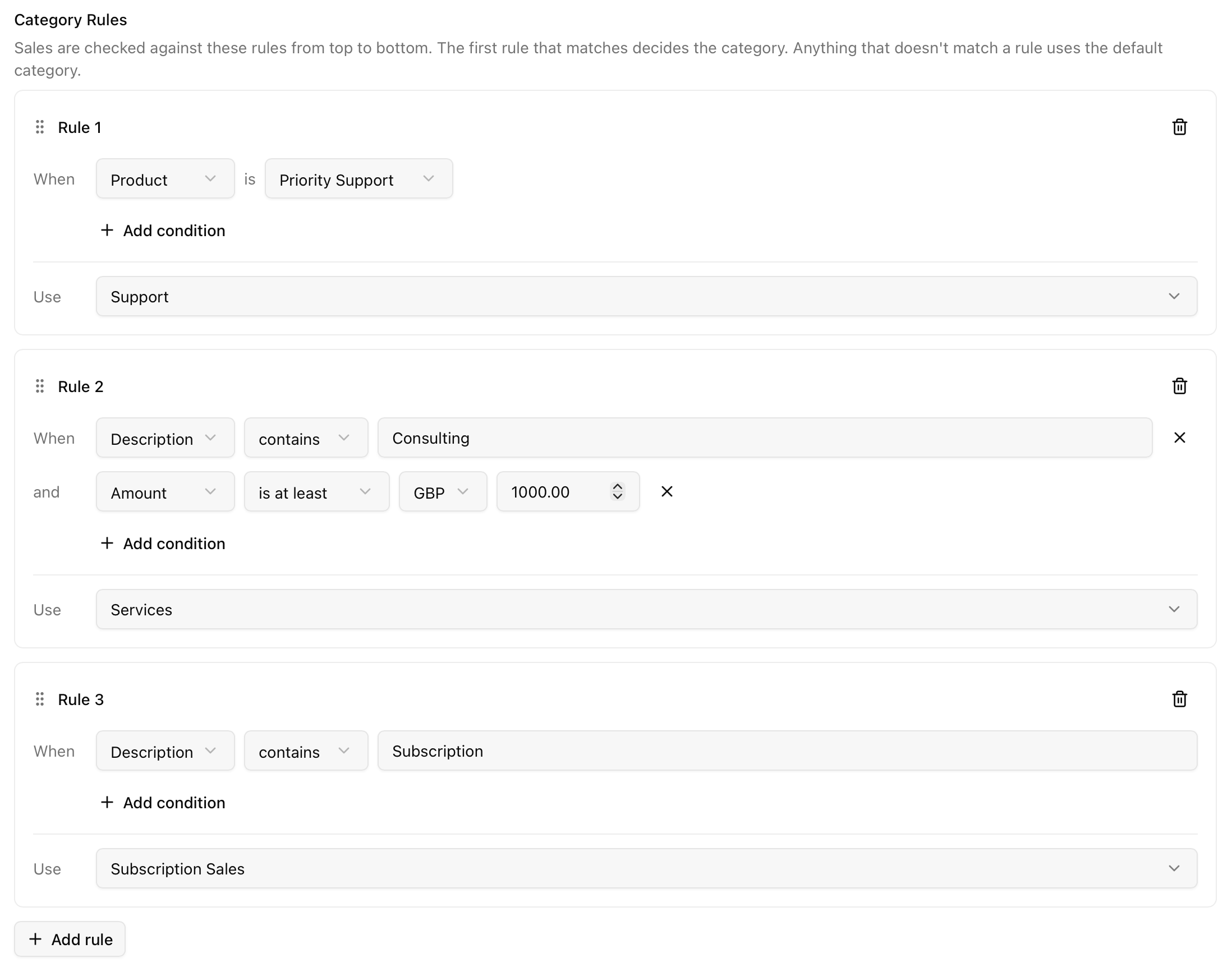
Rules can match on:
- Product: the Stripe product, at any price
- Price: a specific Stripe price
- Description: contains, or is exactly, some text
- Metadata: a key is a given value, is set, or isn't set
- Amount: more than, at least, exactly, at most or less than an amount, in a currency you choose
ClearingHouse checks each sale against your rules from top to bottom and uses the first one that matches. Anything that doesn't match uses your default accounting category. To change the order, drag a rule by its handle.
In the example above, Priority Support goes to "Support", consulting jobs of £1,000 or more go to "Services", and anything with "Subscription" in its description goes to "Subscription Sales". Everything else lands in your default category.
One-off payments are categorised too
Category rules apply to one-off payments as well as invoices, including ones you take through Stripe Checkout, Payment Links, a third-party platform or your own system.
One-off payments don't have a product or price, so match them on their description, metadata or amount instead. Metadata works especially well here: tag a Checkout Session with something like category: workshops through payment_intent_data.metadata, and a single rule will catch every one of those payments.
Choose where Stripe's fees go
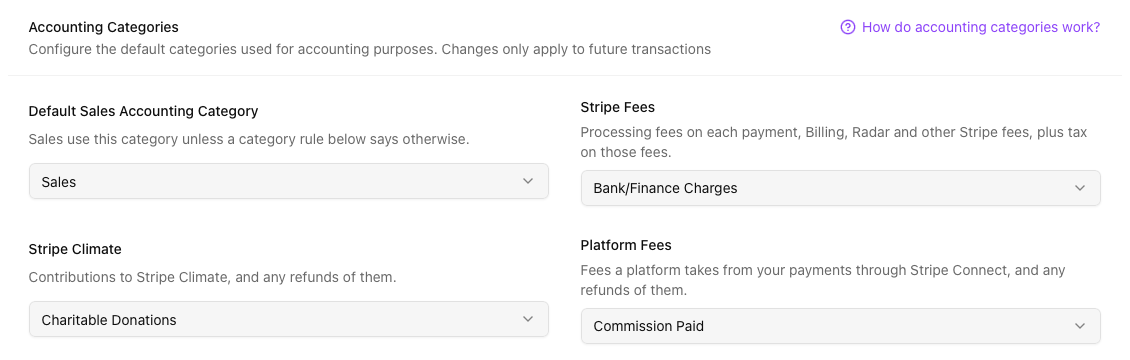
Not everything in your Stripe account is a sale. Stripe's own fees now have their own settings, next to your category rules:
| Setting | Used for |
|---|---|
| Stripe Fees | The processing fee on each payment, and Stripe's other charges like Billing, Radar and Connect fees |
| Stripe Climate | Contributions to Stripe Climate, and any refunds of them |
| Platform Fees | Fees a platform takes from your payments, if you sell through one that uses Stripe Connect |
Each one still defaults to Bank & Finance Charges, so nothing changes until you pick something else. If your accountant prefers card processing fees under cost of sales, or wants Climate contributions kept apart from bank charges, you can now do that without recategorising anything by hand.
Stripe Climate and Platform Fees only show up if your Stripe account has had one of those transactions, so you won't see settings that don't apply to you. Currency conversion fees still always go to Currency Exchange Gain/Loss.
What happens to your existing mappings
If you'd already mapped products to categories, there's nothing to do. Each mapping has been turned into a rule with the same category, so your sales keep going where they went before.
As with any change to your categories, rules only apply to transactions synced from now on. Nothing already in FreeAgent is changed.
Getting started
You'll find category rules and the new fee settings in the Accounting Categories section of your Stripe connection's settings, and in the setup steps if you're connecting for the first time. The Accounting Categories help guide goes through every condition in more detail.
If you're not using ClearingHouse yet, connect your Stripe and FreeAgent accounts and set up your rules as part of onboarding. For why per-product categories are worth having in the first place, see How to categorise Stripe revenue by product in FreeAgent.
Stop reconciling Stripe by hand
ClearingHouse syncs your Stripe invoices, payments, refunds, and fees into FreeAgent automatically. Try it free for 14 days.
Blog